The problem
Finding a free hearing date meant finding the diary first
During interlocutory hearings, decision makers had to track down a single paper diary shared across many hearing rooms, and they had to work out the available dates the evening before. The paper system was prone to errors and disconnected from platforms like JusticeLink to provide up to date data. Beyond the courtroom, The Chief Magistrate’s Office had no visibility or reporting across courts.
The department partnered with a vendor to build a digital replacement. The brief sounded simple: replicate the paper diary, integrate it with JusticeLink, and let court staff book across courts with full visibility
My role
Getting a stalled project moving again
I joined as lead designer mid-build, when outstanding user stories and acceptance criteria had left design behind and engineering waiting. Soon after, I became the sole designer. I led design for the three pilot courts and introduced new ways of working to get delivery back on track, while navigating scope creep, low end-user interest and internal conflict.
01
Designing live with the subject matter expert to unblock delivery
The team was stuck defining user stories and acceptance criteria, which was causing friction. Instead of writing requirements first, I ran live ideation and iteration sessions in Figma with the court SME. Then the BAs wrote the user stories and ACs from the approved designs. This gave everyone one shared picture of what we were building and we caught up the two list spins within two weeks.
02
Working within a style guide built for websites, not internal tools
When I joined, the design system and admin screens were already in development using the NSW Digital Style Guide. That guide is built for public websites. Its large type and generous whitespace create a lot of scrolling, which slows people down in a time-pressured internal tool.
Redesigning the templates wasn’t feasible, so I tightened spacing and type where I could. For the core booking flow, I designed a linear, focused flow that hides the navigation and footer. This removed distractions and kept scrolling to a minimum.
Trade-off: the admin screens kept the heavier layout, so I focused my effort where users spent the most time.
03
Solving “it’s too clicky”
On every digitisation project I’ve worked on, new users give the same feedback: it’s too clicky. On paper, people can jump straight to writing details down. In a digital system, the same result needs proper logic and validation, which adds steps. Since decision makers could choose whether to use the product, every extra click was a risk to adoption.
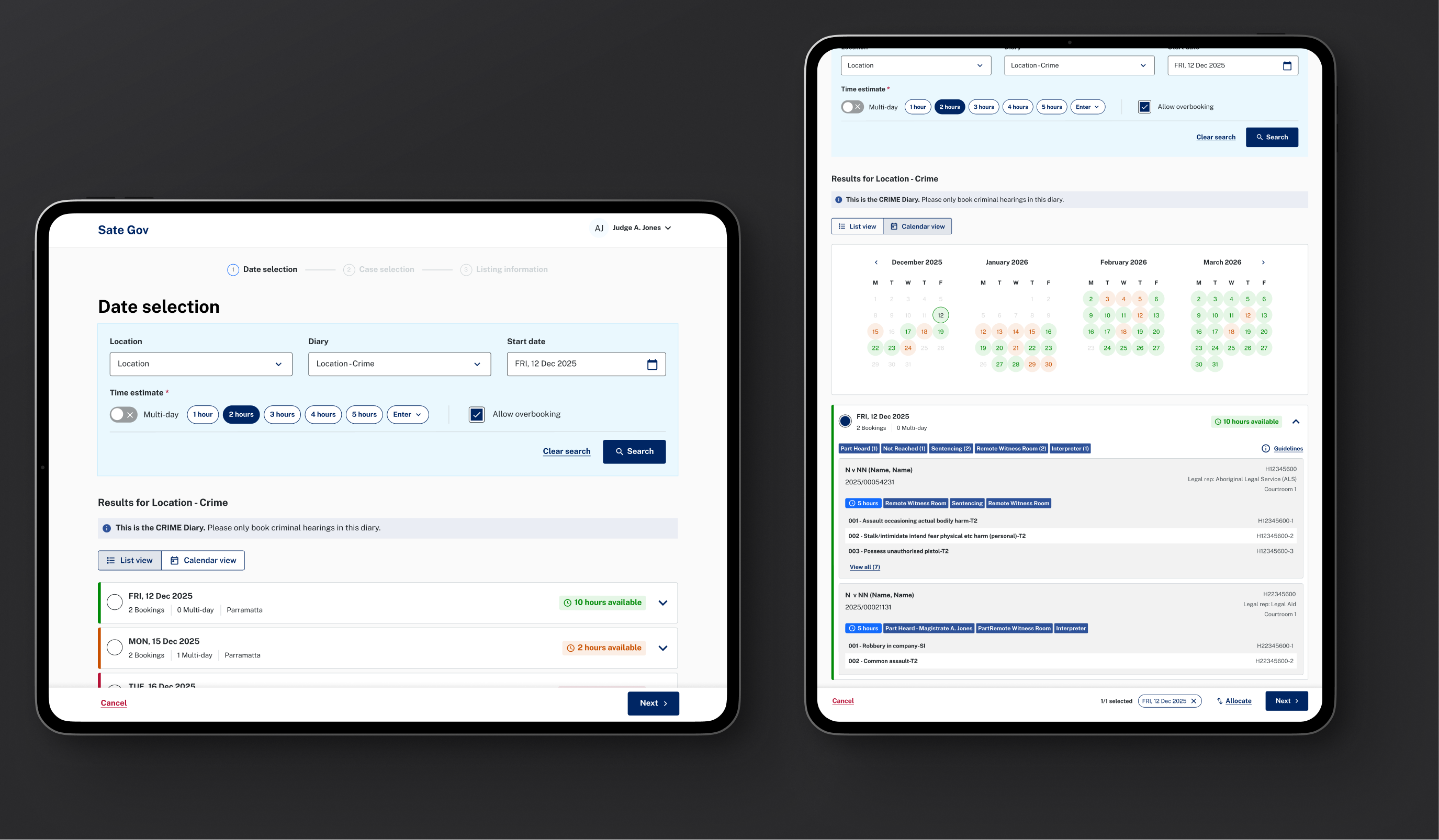
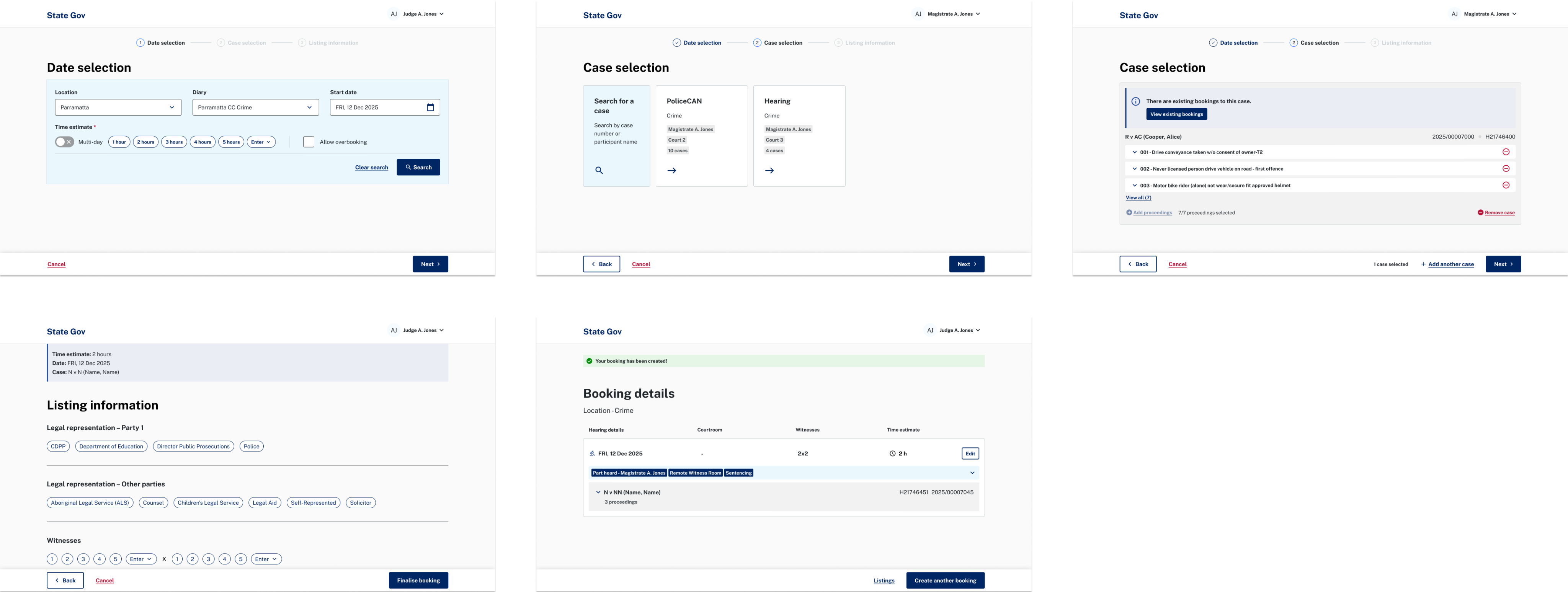
In phase 2, I restructured the booking flow around how the conversation in a hearing really unfolds. In court, parties agree on a date first, then the details are recorded. So instead of selecting the case first, users now start by finding a date in a new calendar view, with a sticky selection bar that keeps their chosen slots visible as they move through the flow. I also reduced the flow from four steps to three and made hearing details one-click selections wherever possible.
Booking flow: Date selection → Case selection → Listing Information
The solution
One shared diary across every court
- Chief Magistrate’s Office: full visibility and reporting across all courts.
- Admin staff: can set up circuits for joined court locations, hourly and slot-based diaries, facilities and user management.
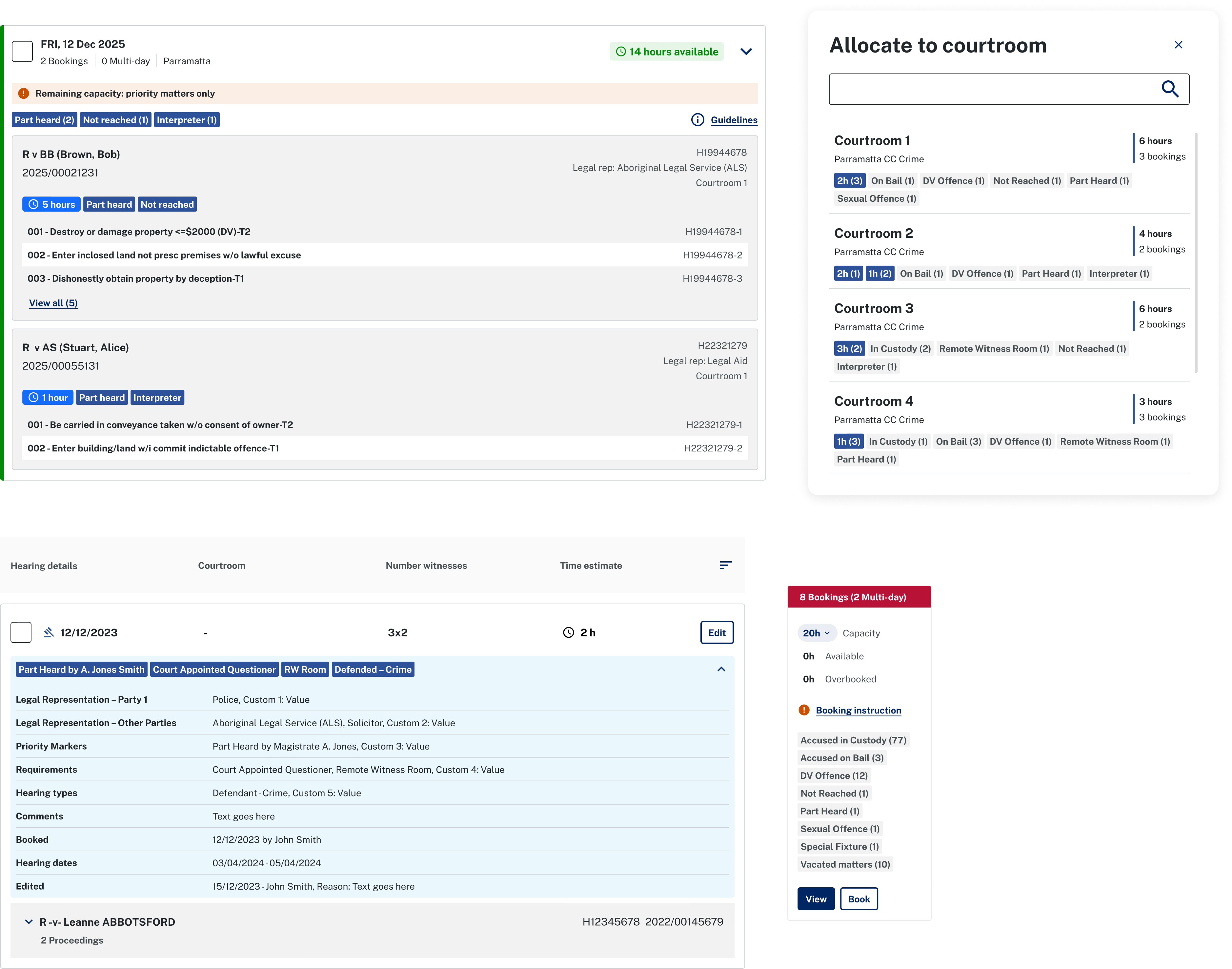
- Decision makers: no longer prepare diaries by hand. They can record and edit single, consecutive and non-consecutive hearings, with hearing specifications, cluster similar hearings to one hearing room by the use of priority markers, allocate hearings to courtrooms and decision makers on a secure platform.
Features

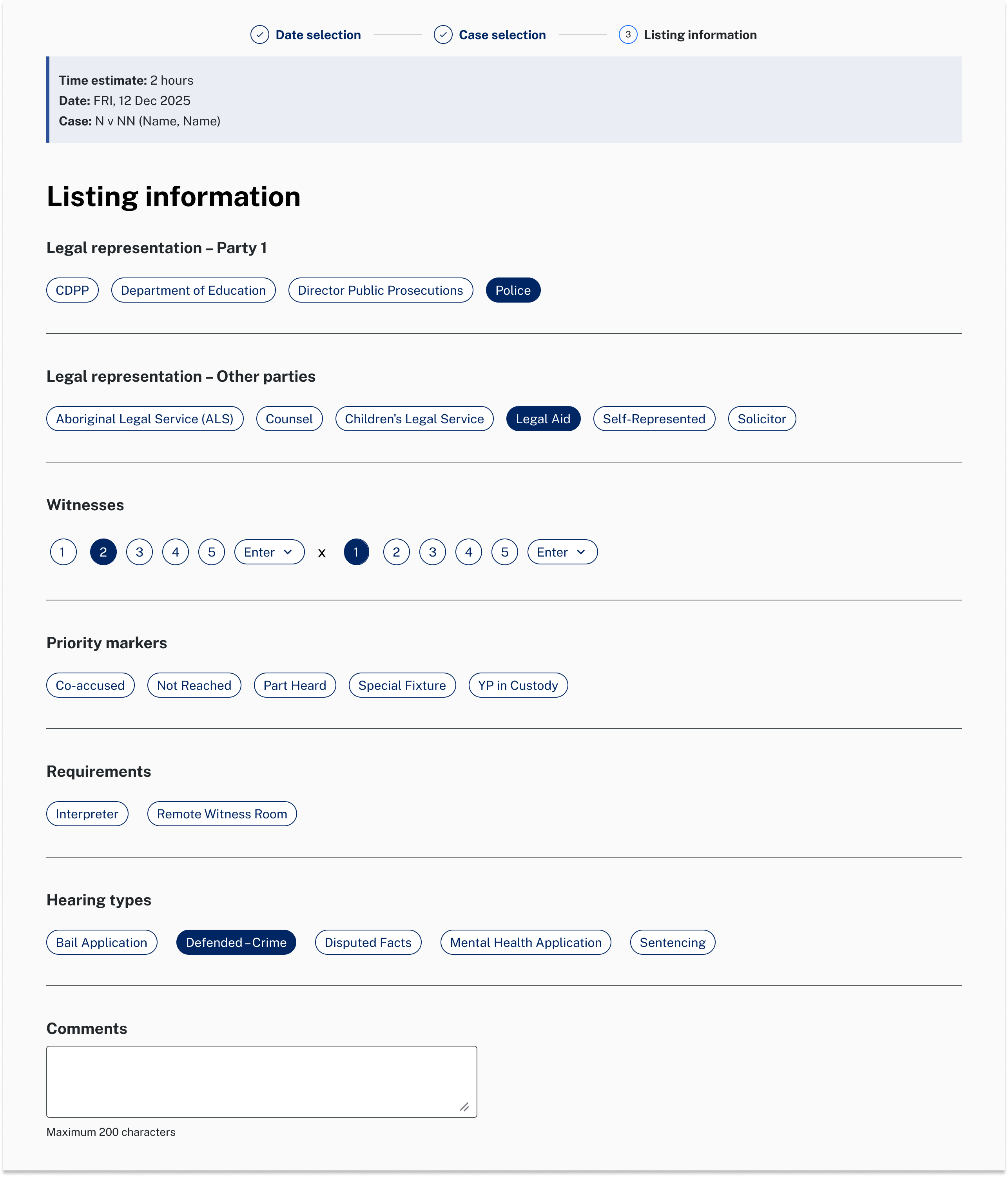
The listing details captured in the booking flow make it easy to match each hearing to a suitable room

Reflection
Launching was the first step, adoption is the next.
The product launched successfully at three pilot courts, enhancements followed in 2026, and it’s now expanding to more courts across NSW. The bigger lesson came after launch. Moving from paper to digital is a change in habit, not just tools, and some users struggled to see why a new product should replace their diary. One pilot site was eventually replaced during the design phase. In a busy court, saving time is the main selling point. The product let users do more, but doing more wasn’t always what they needed. Next time, I’d push more for ongoing engagement with end users from the very start to grow trust and excitement in the new tool.