The problem
Rebuilding Trust, One Order at a Time
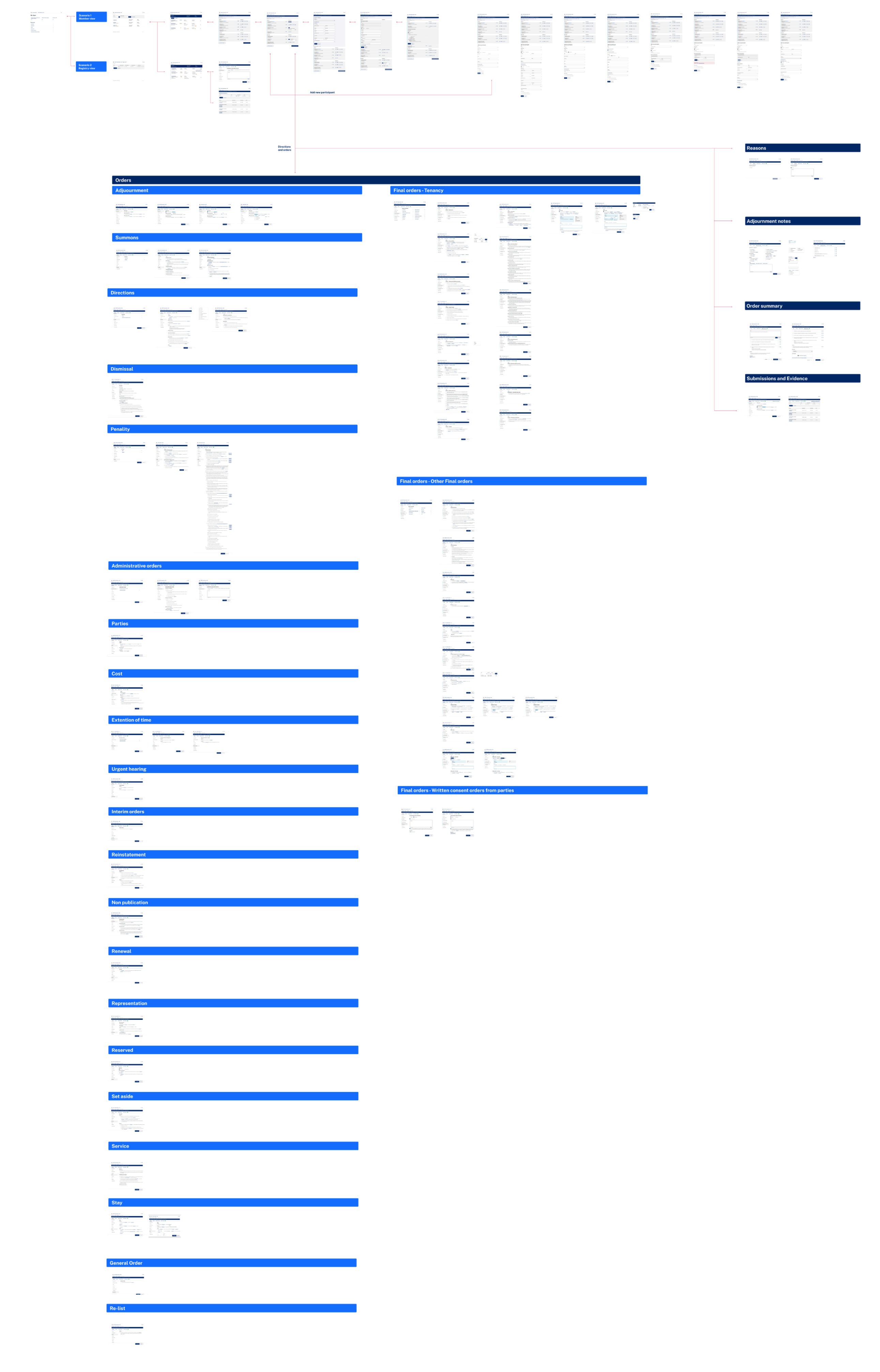
The division urgently needed to replace an end-of-life product. A previous attempt to build its replacement had failed, the business rejected it at user acceptance testing because of performance and usability issues. A new version was commissioned on a new platform, one that had to meet both user and business needs. Along the way, the scope expanded to include a review of all existing orders and new rules around processes.
The challenges were significant:
- Entrenched habitsUsers were used to a legacy system with a completely different interface and with shortcuts around business rules that let them work fast. Changes to the UI, the order wording and the processes met strong pushback.
- Low digital confidenceMany senior decision makers had limited computer skills, which became clear during testing.
- Platform constraintsThe development team found building so many custom components on a low-code platform very difficult.
- A trust deficitAfter the failed project, we had to earn stakeholders’ confidence from scratch.
My role
Learning on the job, literally
I was the lead UX/UI designer on the team and new to the court system. I reviewed the existing decision-maker tool, designed a new version in line with accessibility guidelines and the design system, and tested the product with users. To understand how the tool was used in practice, I conducted contextual observation by sitting in on live hearings and watching decision makers work in real time. Joining the onboarding sessions also let me meet most of the decision makers in person and gain valuable insights from a wide range of users.
01
When drag-and-drop meets the bench
The requirements were complex enough that low-code, drag-and-drop platforms have no out-of-the-box solution. Every decision needed careful thought, and often we only learned what was feasible once it was in build.
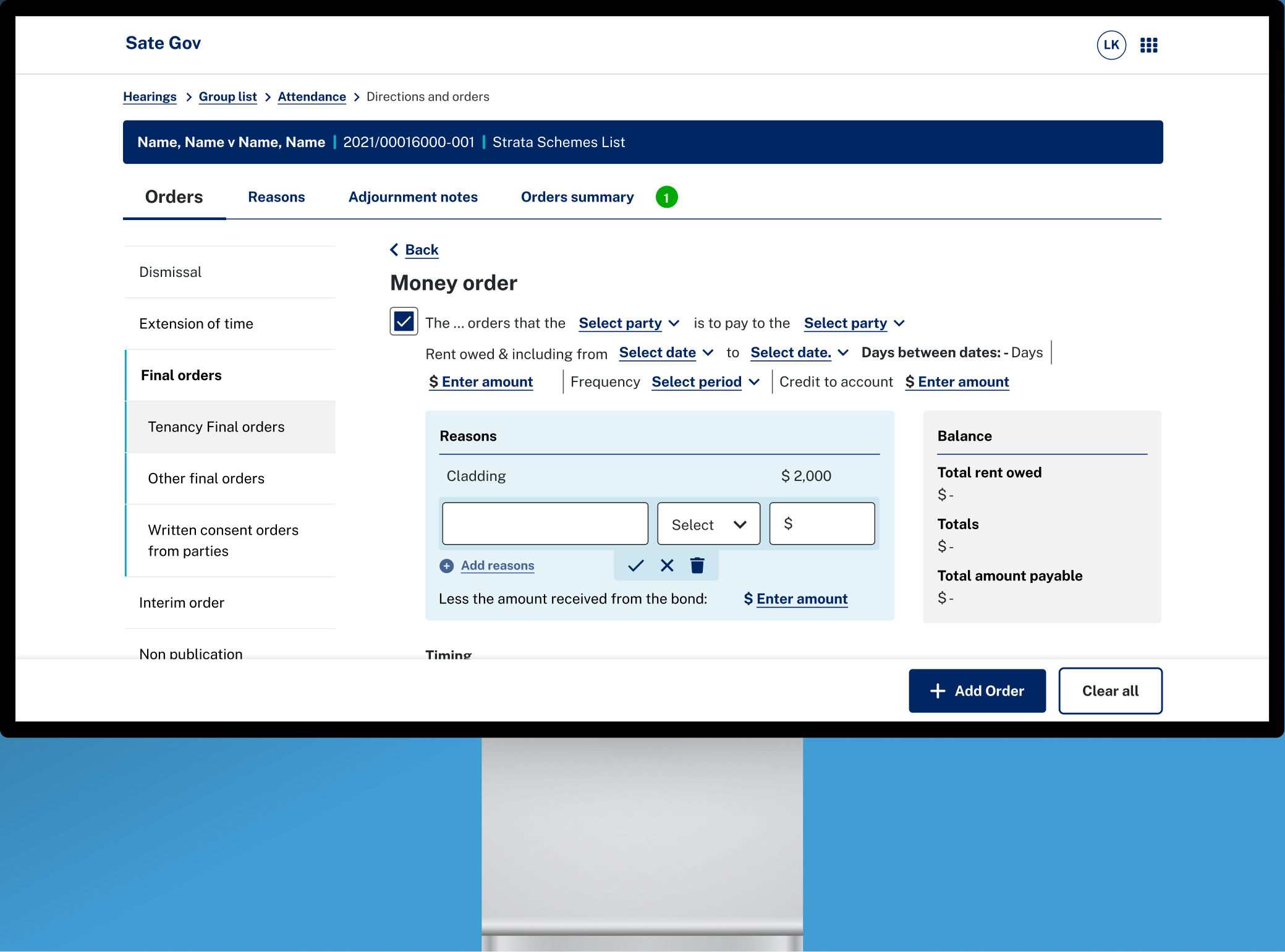
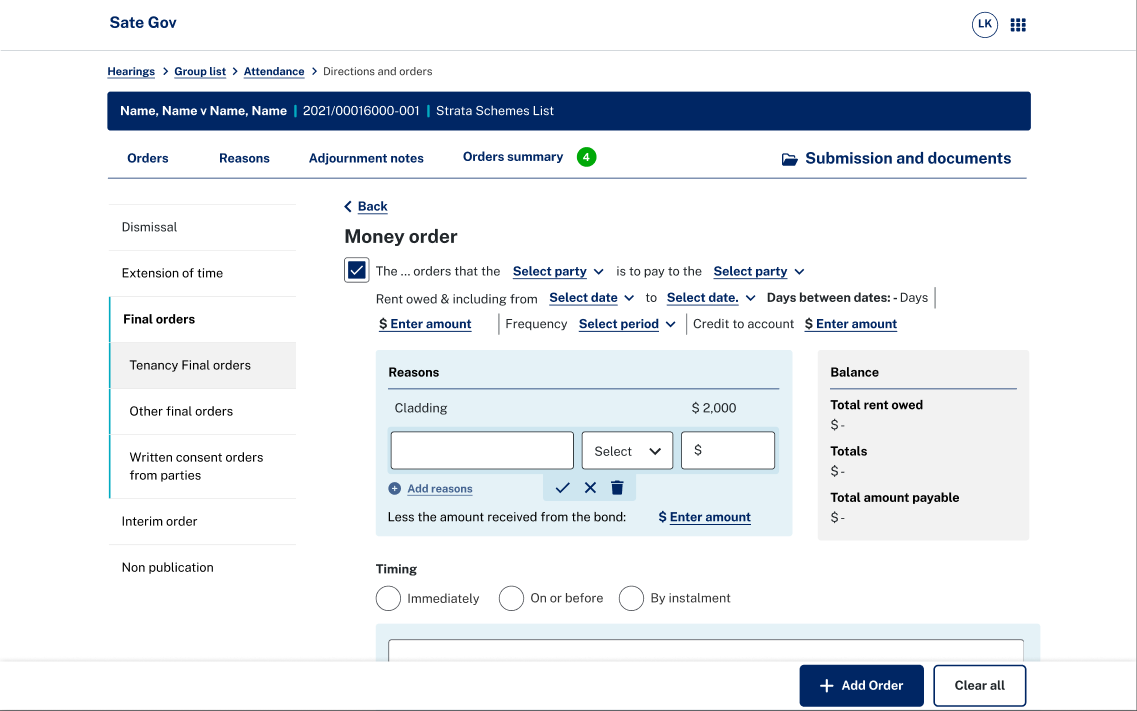
Each order is made up of fixed text with fillable sections, chosen from drop-down embedded in the sentence. The selected values load into the sentence when the dropdown closes. Because of platform limitations, this interaction went through many iterations. The overlay and dropdown components caused several usability issues:
- A jumping layoutWhen users typed into a dropdown and the sentence updated live, the whole box jumped around.
- Accidental triggersDropdowns opened on hover, so they opened and closed unexpectedly, especially when users pasted text into the application. The most cost-effective fix was to adapt an existing tooltip component to open on click instead.
- Off-screen menusDropdowns only opened above the sentence, so many of them hung off the edge of the screen.
02
Show, don’t just tell
Carefully managed stakeholder engagement was crucial on this project. Because of the failed project we inherited, our work was initially met with distrust and pushback, and the organisation’s level of digital maturity added further doubt.
My approach was to take stakeholders on the journey with us. I ran regular demo sessions and showed them visual designs instead of only describing problems and solutions. This proved the most effective way to win approvals and speed up delivery.
03
The need for speed
Hearings are designed to be informal and efficient, and decisions are often handed down on the spot. Performance was a major pain point, because the tool downloads case information from a legacy system and uploads decisions back to it. Too many API calls on a single screen could slow a hearing down.
I worked closely with the developers to test a wide range of scenarios. At times this meant redesigning entire screens or splitting a flow across two screens. I deliberately prioritised performance over visual polish, which saved the department both time and money.
The solution
From failed launch to the only tool in the room
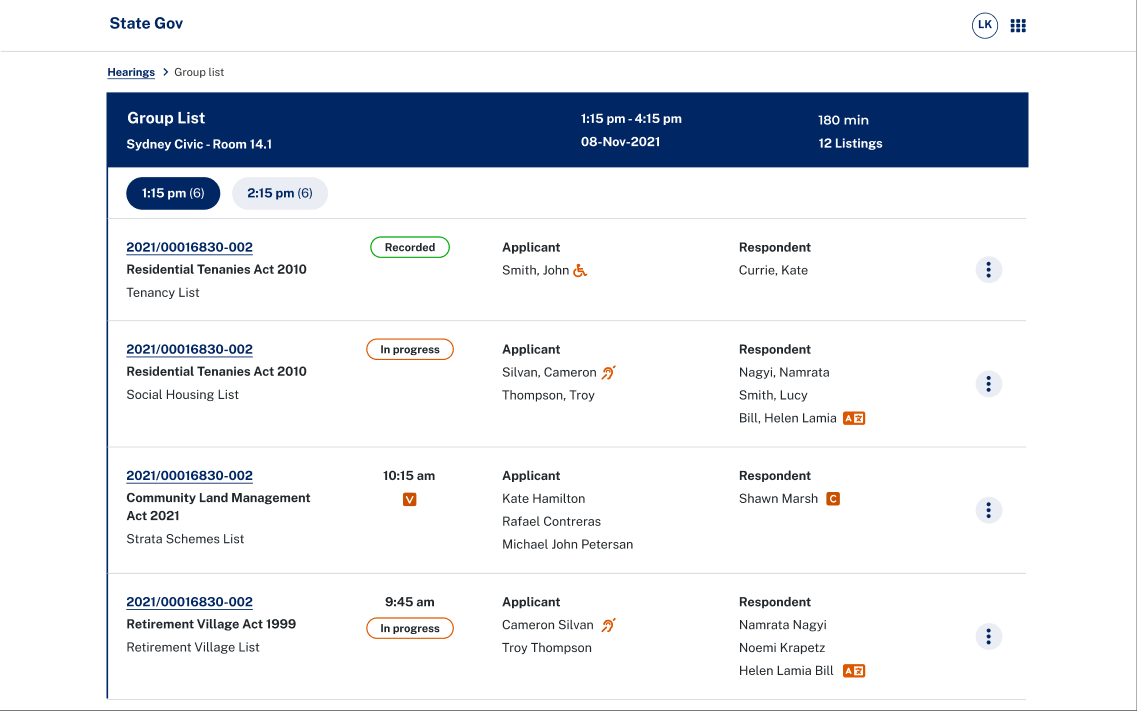
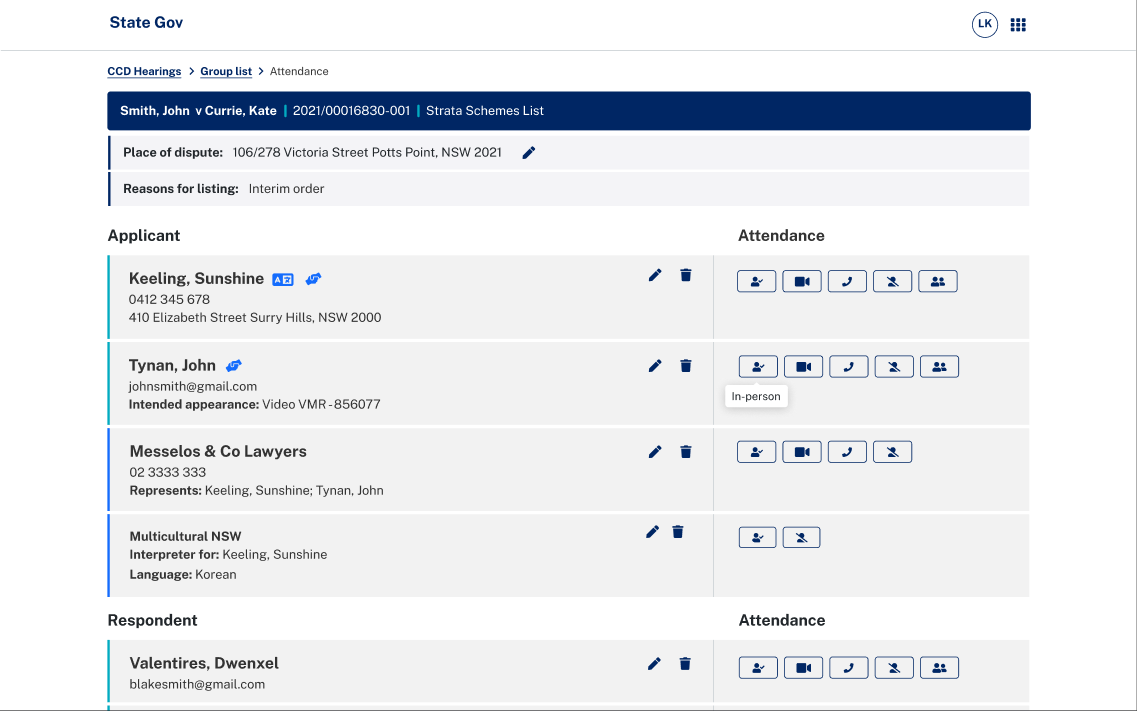
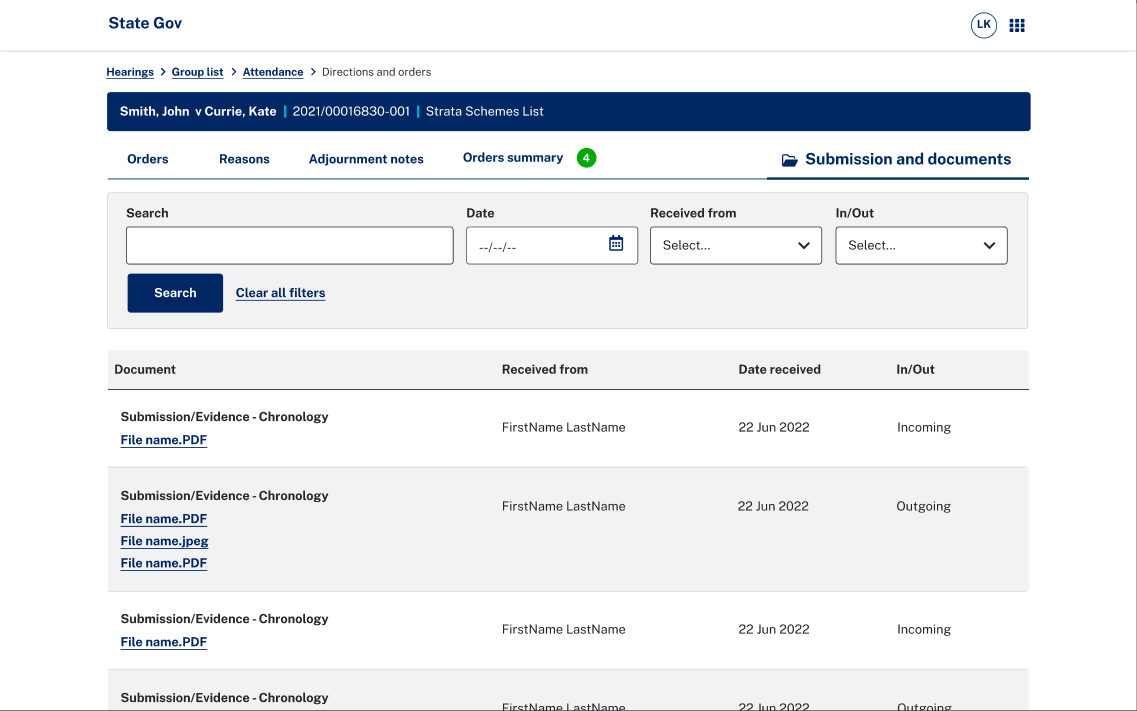
The product delivered the usability improvements the tribunal badly needed. It is now the only tool used to make orders in the division. Decision makers can record attendance, view supporting documents and make orders efficiently.
Reflection
Learning to say no
We worked under constraints on every front: the previous project’s bad reputation, the platform’s feasibility limits, and stakeholders who wanted everything after waiting so long. Early on, we tried to make up for these shortcomings by pleasing everyone and rarely saying no. By the end of the project, I had learned to guide stakeholders more directly and to stand my ground against scope creep when it mattered.